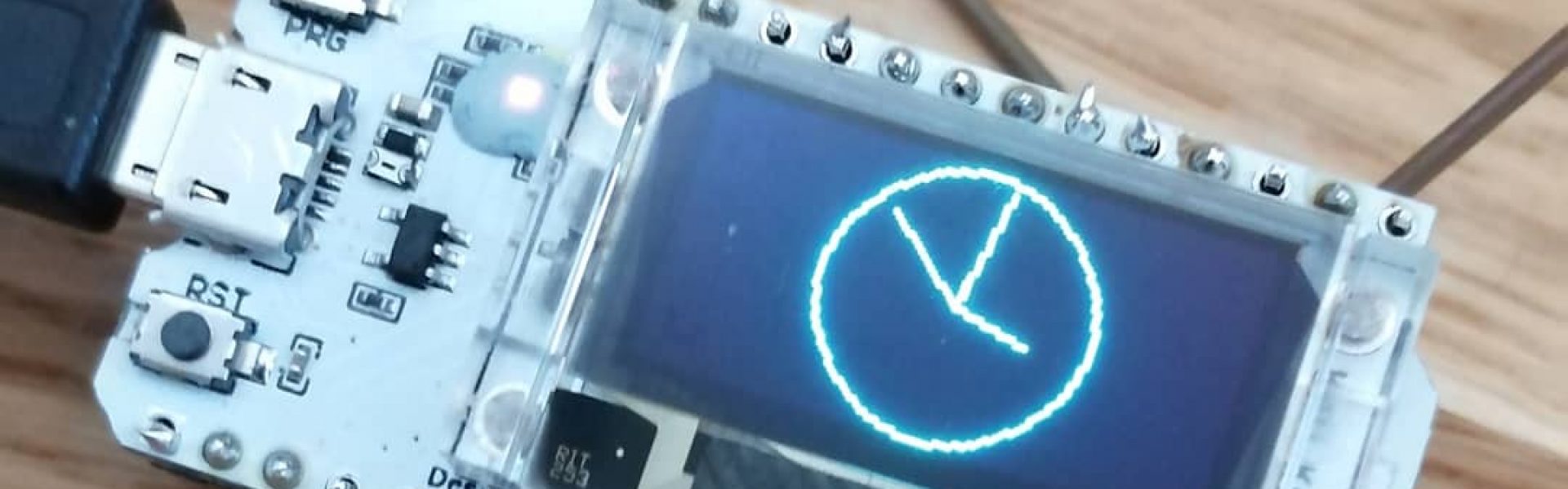

3D + Robotics DIG007AS3AE-3004 – Blog – Candy Dispenser
Group: Katja Koskela, Mia Kärtner, Inari Härmälä
Introduction
We are all specializing in digital services and have prior experience with the course topics. This experience has been gained either through other courses such as 3D printing and IoT courses or through exchange studies related to the subject.
Ideas
In the ideation phase we utilized the creativity of the group members as well as artificial intelligence (mostly ChatGPT). All group members added ideas to a list and then we chose three best ideas. After that we started discussing about the components required for the project. The best idea was chosen during the first class of the course. We decided to build a candy dispenser device called CandySnake. We started planning immediately and used Lotus Blossom as an ideation method to figure out what was needed to bring our idea to life.
One of the other ideas we had was “runaway” alarm clock or small moving character. The concept was that when the alarm goes off, the device would start moving away from the user, forcing them to get up to turn it off. This would require at least two motors and wheels for movement. If we wanted the device to detect its surroundings in all directions (360°), a distance sensor mounted on a rotating motor could also be used. The device would include an LED display to show the time and a speaker for the alarm sound.
Another idea was a soundboard device that plays different sounds when buttons are pressed. The sounds could consist of timeless meme sounds if changing them later would be difficult. One humorous concept was a “relationship soundboard,” where someone could communicate with their partner only by using meme sounds from the device. The device could include physical buttons for different sounds and a small LED screen to display the sound menu. The soundboard could also be mounted on a rotating turntable mechanism so that a motor could be used as part of the interaction or visual effect.
We chose to build the candy dispenser, because out of all three ideas it was easiest and most useful. Soundboard would have been funny and the moving character even funnier, but from a business perspective the candy dispenser is the most practical and marketable concept. Who wants to run after their alarm clock anyway?
What did you need to learn
Through the Lotus Blossom method and the description of our initial idea, we identified which hardware components we would need for the project and what we needed to learn to assemble the device. The most important learning points for the device were developing the Snake game code with the help of artificial intelligence; acquiring audio files, uploading data to the ESP and connecting it to the device; ensuring the functionality and coding of the motor; the 3D design and printing of the device; and project time management so that the device could be built within a short timeframe.

We decided to build a candy dispenser where the portion size is determined by the player’s performance in a Snake game. The dispenser is a 7 cm diameter disc with slots every 1 cm containing candy. The dispenser is rotated using a 180° servo.
When the device starts, the song Candy Shop by 50 Cent begins to play. A menu appears on the screen showing the time since the last play session and an option to “Start Game.” The Snake game is controlled using two rotary encoders: one for up/down direction and the other for left/right. The game can be restarted by pressing the up/down encoder for a long time, and the player can return to the menu by pressing the left/right encoder for a long time.
When the game ends (when the snake hits a wall or itself), the dispenser releases as many candy slots (portions) as the number of apples eaten in the Snake game.
Required Components:
- 180° Servo motor
- LED display – 1.77” TFT LCD
- Speaker
- ESP32 microcontroller
- Controllers/rotary encoders for the Snake game
- Breadboard
- Connecting wires
During the construction phase, some details of the idea were modified. For example, the variability of the portion size was removed, and additional elements were added to the UI as needed.
The building phase
19.1.2026
The first lesson of the course consisted of theory. We familiarized ourselves with different types of motors and brainstormed ideas for the device. The actual building of the device only began during the second lesson. The plan was to start working on the Snake game code and design the dispenser part of the device in Blender. We decided to make the dispenser a rotating disc rather than a hatch that opens.
We also started downloading the necessary libraries and searching for code so that we could test the functionality of the speaker. During the lesson, we managed to connect the required wires, controllers, motor, and display for the Snake game. Designing the dispenser part involved some trial and error, as we had to figure out, for example, how to configure the Blender environment to follow the correct measurements (cm/mm).
26.1.2026
There was a lot of troubleshooting in designing the display UI, the Snake game, and testing the audio. The Snake game was eventually made to work. The display shows a “Start” menu, where the game begins by pressing the encoder. In the game, apples are collected by rotating two encoders (up/down and left/right). The game ends when the snake hits a wall, and the player is shown a “Game Over” message.
There were also challenges while testing the audio. We learned that an ESP32 Sketch Data Upload plugin must be installed for audio files (instructions were found on the Random Nerd Tutorials website). In the Arduino settings, it is also necessary to choose a suitable partition scheme (found under “Tools”). We tested several options, for example Minimal SPIFFS, which worked during the first audio test. The desired music was downloaded from the internet. We also learned that depending on the situation, the code, and the libraries used, the audio file may need to be either .mp3 or .wav, so we converted the file format using an online conversion website.
The biggest problems during audio testing were related to the partition scheme, file size, and the limited amount of memory. We managed to get the sounds working with difficulty, but the sound quality was terrible, so it still needs to be improved. The dispenser part was successfully 3D printed, and we removed the print supports from it.
2.2.2026
This time, a lot of problem-solving and testing was required with the audio to learn how to make it work with good sound quality. We tested using an older version of the ESP library, different partition scheme settings, and many other solutions, but nothing worked.
We received a tip from another student that instead of SPIFFS (a file system used to store audio on the ESP6), it would be better to use LittleFS. For this, we asked AI for new test code that uses LittleFS. At first, there were also problems with this until we realized that the previously installed Data Upload plugin only worked with SPIFFS, so we had to install a new Data Uploader designed for LittleFS (again following instructions from Random Nerd Tutorials). When installing these plugins, it is important to make sure they match the correct Arduino version (in this course, version 1.8.x).
The next problem was the sample rate of the .wav file (16,000 Hz). We learned that this was causing the poor audio quality. The Arduino code and the audio file must have the same sample rate, and the audio file’s sample rate must also be high enough so that the sound does not come out demon-like. We converted the file from 16,000 Hz to 44,100 Hz using an online conversion website. Finally, we got the chosen audio files to work, although they have not yet been connected to the device.
9.2.2026
We developed the Snake game UI further and added the servo motor functionality to the device code. Once again, we had to work with AI and solve coding issues. We figured out which additional libraries needed to be installed in Arduino for the code to work properly.
Finally, we managed to implement the desired changes in the device. The start screen now includes a “Distribute Candy” option below the “Start” menu. If the player presses it without having played the Snake game, the screen displays “You haven’t completed the game successfully yet” and returns the player to the start screen. We also added a condition that “Distribute Candy” only works once the player has collected at least 2 apples in the Snake game. After successfully completing the game, selecting the “Distribute Candy” option rotates the servo 180° and the screen notifies the player of the candy portion.
We also learned the importance of always double-checking the wiring, as during testing we discovered that the servo motor’s signal wire was not connected to the ESP.
23.2.2026
We attempted to integrate the game logic with the sound system, but the implementation did not work as expected. During the session, we continued improving the code by refining the menu structure and adjusting the snake’s movement path to make the gameplay more logical and consistent. By the end of the session, we decided to revisit the sound integration next week and attempt to implement it again with a clearer approach.
2.3.2026
We attempted to make the game and the audio work together, trying to play the Candy Shop song when the game starts. We didn’t succeed yet, but we planned to continue testing next time, as it would be great to have the song play as originally intended. The game itself works perfectly. The main issue with the audio is that it only produces static noise and no music can be heard through the speaker. We modified the servo functionality in the code so that it dispenses candy only after the player has successfully completed the game and caught at least two apples. The dispenser releases one portion of candy for each apple caught.
For the candy dispenser, we built a prototype using cardboard and tape. Our original plan was to design the parts in 3D using Blender, and we did manage to design and print one component. However, due to time constraints, we relied on cardboard for the rest of the prototype. We did incorporate the single 3D-printed part into the prototype though.
9.3.2026
During the final session, we decided to abandon the audio functionality. Despite several attempts, we were unable to get the sound system working reliably within the available time. Instead, we chose to focus on finalizing and refining the game code to ensure that the core gameplay worked properly. By the end of the session, we completed the necessary adjustments and finalized the code for the project.
The outcome


What we learned:
- We learned that allocating more time to the project outside of class hours could have significantly improved the final outcome. For example, working on the 3D design at home and printing the components outside of scheduled lessons would have allowed more time for testing and refinement during class.
- During the coding process, we observed that AI-generated code can sometimes be unreliable. It proved more effective to request smaller code snippets and implement changes incrementally rather than attempting to generate a large program with many features at once.
- We gained practical experience in implementing audio functionality on the ESP, including finding suitable audio files online and correctly uploading them to the device.
- The project provided additional practice in 3D design and preparing models for 3D printing.
- We further developed our programming skills by implementing the logic and functionality required for the Snake game.
- The project also highlighted the importance of time management. Due to limited class hours and shortened lessons, progress was sometimes slow, especially during the coding phase, as uploading and testing code on the ESP device required a considerable amount of time.
The topic is interesting to us, and we are motivated to learn more about it in the future. This course brought together many of the concepts we had previously learned in earlier IoT and robotics courses and allowed us to apply them in a practical project. As a result, it increased our interest in tinkering and developing similar systems further.
In the future, the project could be further developed by introducing additional features and game variables. For example, the game could include a wider selection of candy types, each with different effects or point values. Furthermore, implementing additional gameplay elements such as varying difficulty levels, obstacles, or bonus items could make the game more engaging and increase its replay value.
In addition to software improvements, the physical construction of the device could also be further developed. The box and the overall structure could be redesigned to improve durability, stability, and overall build quality. This would make the device more reliable and better suited for long-term use.
🌸 Created by a team that refused to let the snake starve: Katja Koskela, Mia Kärtner and Inari Härmälä.
Completed on 9.3.2026 after many iterations, debugging sessions, and a lot of patience with the ESP 🐍
🔥 Thanks for playing!